AI Food Scanner

Scan Any Meal.
Know Your Macros.

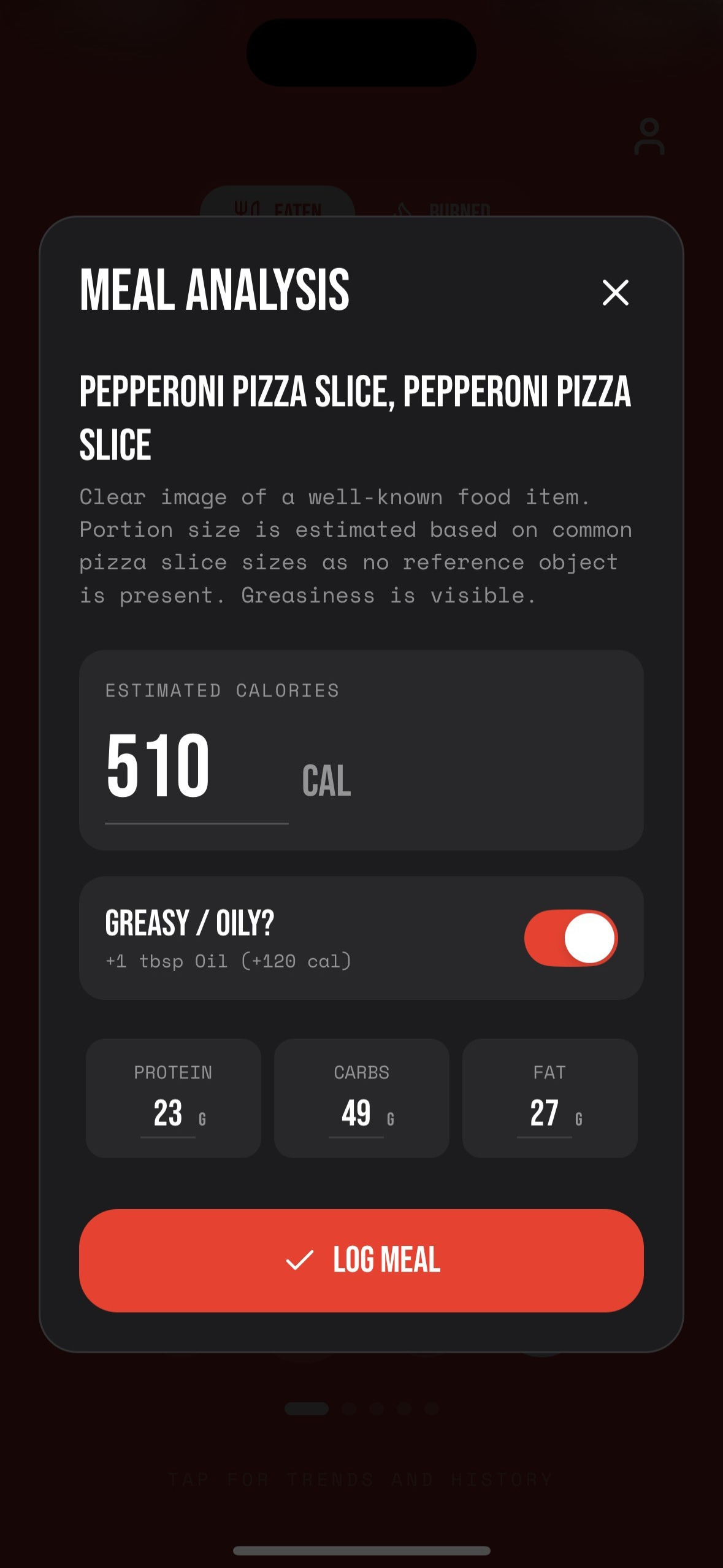
Point your camera at any meal and get an instant breakdown of calories, protein, carbs, and fat. No manual entry. No barcode. No guessing.

By ChromaFit Team · Last updated Feb 17, 2026
Download on the App Store

Calorie Tracking in Seconds

01

Point Your Camera

Open the food scanner in ChromaFit and point your iPhone camera at any meal — restaurant, home-cooked, or packaged.

02

AI Identifies the Food

The AI instantly recognizes the food items in the photo, even mixed dishes and meals without barcodes.

03

Get Your Macros

See calories, protein, carbs, and fat instantly. Pro users get the full nutritional breakdown including fiber and micronutrients.

Full Nutritional Breakdown

🔥

Calories

Total energy per meal and daily running total

🥩

Protein

Grams of protein to hit your daily target

🍞

Carbs

Total carbohydrates and net carbs

🥑

Fat

Total fat including saturated and unsaturated

AI Food Scanner showing meal macro breakdown

Common Questions

How does the AI food scanner work?

ChromaFit uses your iPhone camera to photograph any meal. The AI identifies the foods and returns an instant breakdown of calories, protein, carbohydrates, and fat — no manual entry or barcode required.

Does it work on restaurant meals?

Yes. The AI can identify and estimate macros for restaurant meals, home-cooked food, snacks, and packaged items — even without a barcode.

How many food scans do I get?

Free users get 1 food scan per month. Pro users get unlimited food scans with full macro breakdowns.

Does it sync with Apple Health?

Yes. ChromaFit syncs calorie and nutrition data with Apple HealthKit automatically.